Hepp by your side, every moment.
Find a nearby business, see free slots, book your appointment.
The appointment app for barbers, salons, vets, home cleaning and more in Northern Cyprus. The business confirms, hepp reminds you on WhatsApp or by notification.
- Free for customers
- Turkish and English
- Coming soon to the App Store
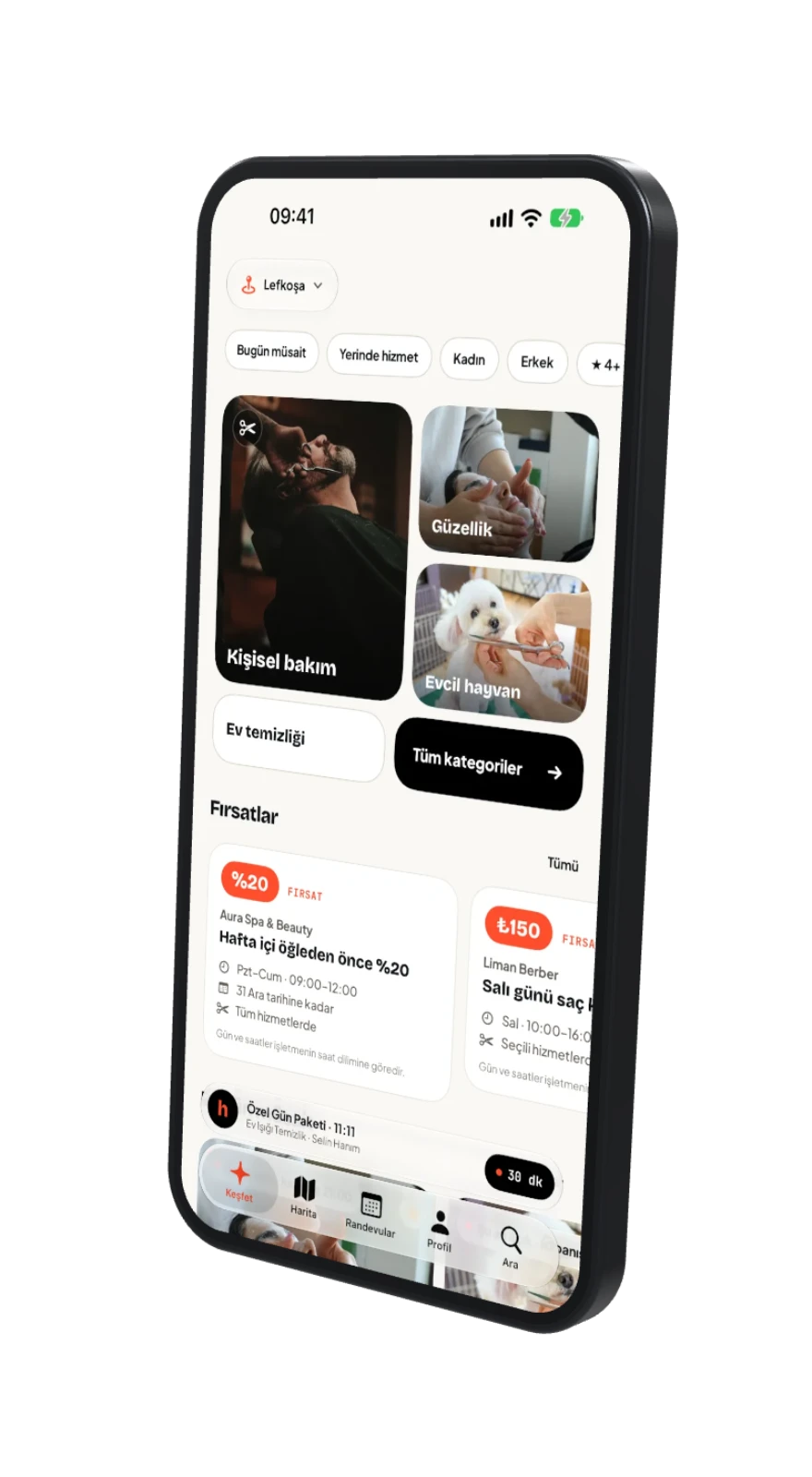
Find a business nearby, pick your time, keep your booking in your pocket.
Services
The service you need, in one app.
Timed bookings, at-home services, quotes and drop-off orders: each service has a flow that fits it.
 Personal careBarber · Hairdresser
 Beauty salon
 Vet
 Pet grooming
 Quote · on-siteHome cleaning
 Dry cleaning
- Get notified at launch
Coming next
Tap up to 3 services you want on hepp and cast your vote. Everyone gets one vote; we will let you know at launch.
 Nails and manicureSoonVoting has started
 Massage and spaSoonVoting has started
 Dental clinicSoonVoting has started
 PhysiotherapySoonVoting has started
 Personal trainerSoonVoting has started
 Private tutoringSoonVoting has started
 PhotographerSoonVoting has started
 Car washSoonVoting has started
 Carpet cleaningSoonVoting has started
 Plumbing and electricsSoonVoting has started
Can't find your category?Leave a pre-registration
How it works · 01 / 06
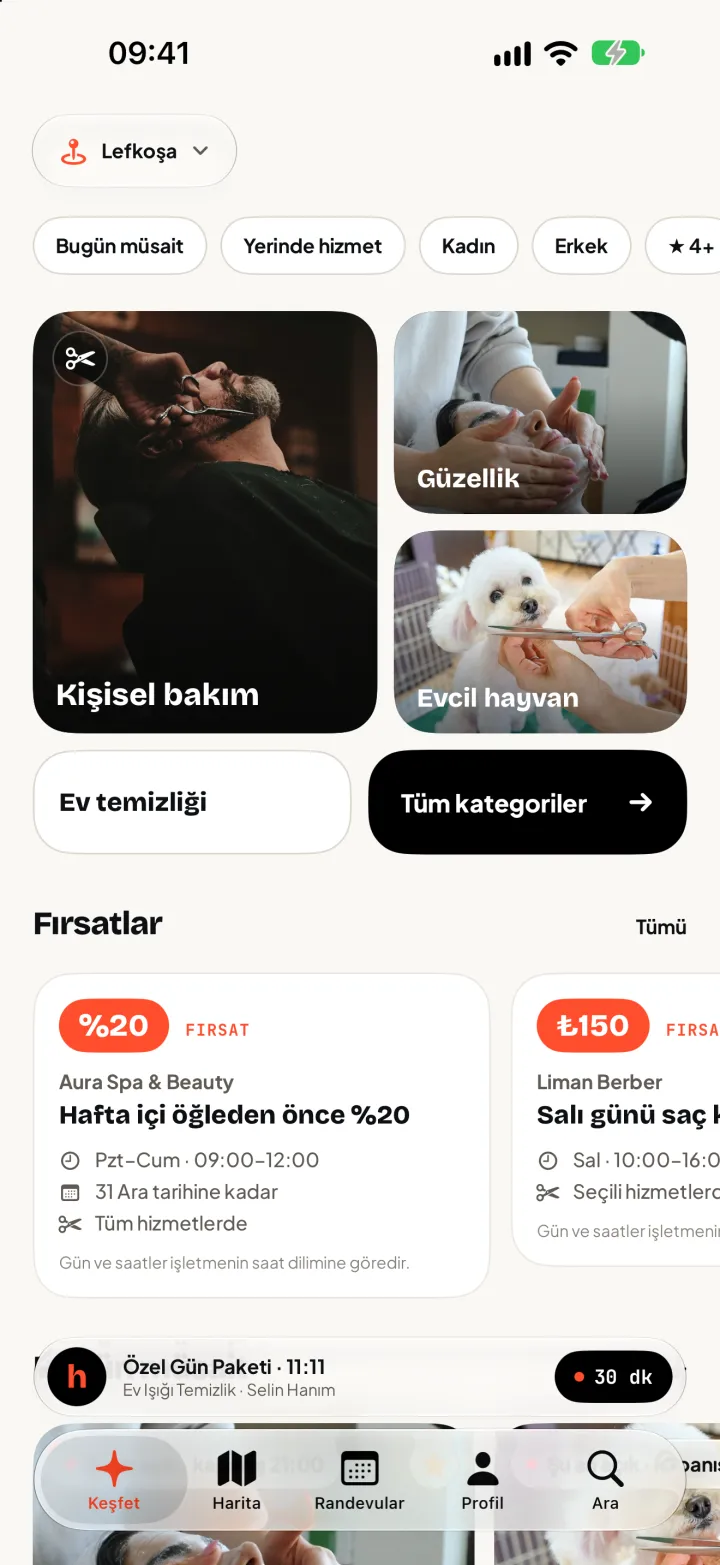
Discover what's nearby
Pick a category and see nearby businesses on a map or a list. Narrowing to who's free today is one tap.
- MapBusinesses appear with their logos; zoom in and they spread out.
- ListSorted by distance and rating.
- FilterFree today, at-home service, spoken languages.
How it works · 02 / 06
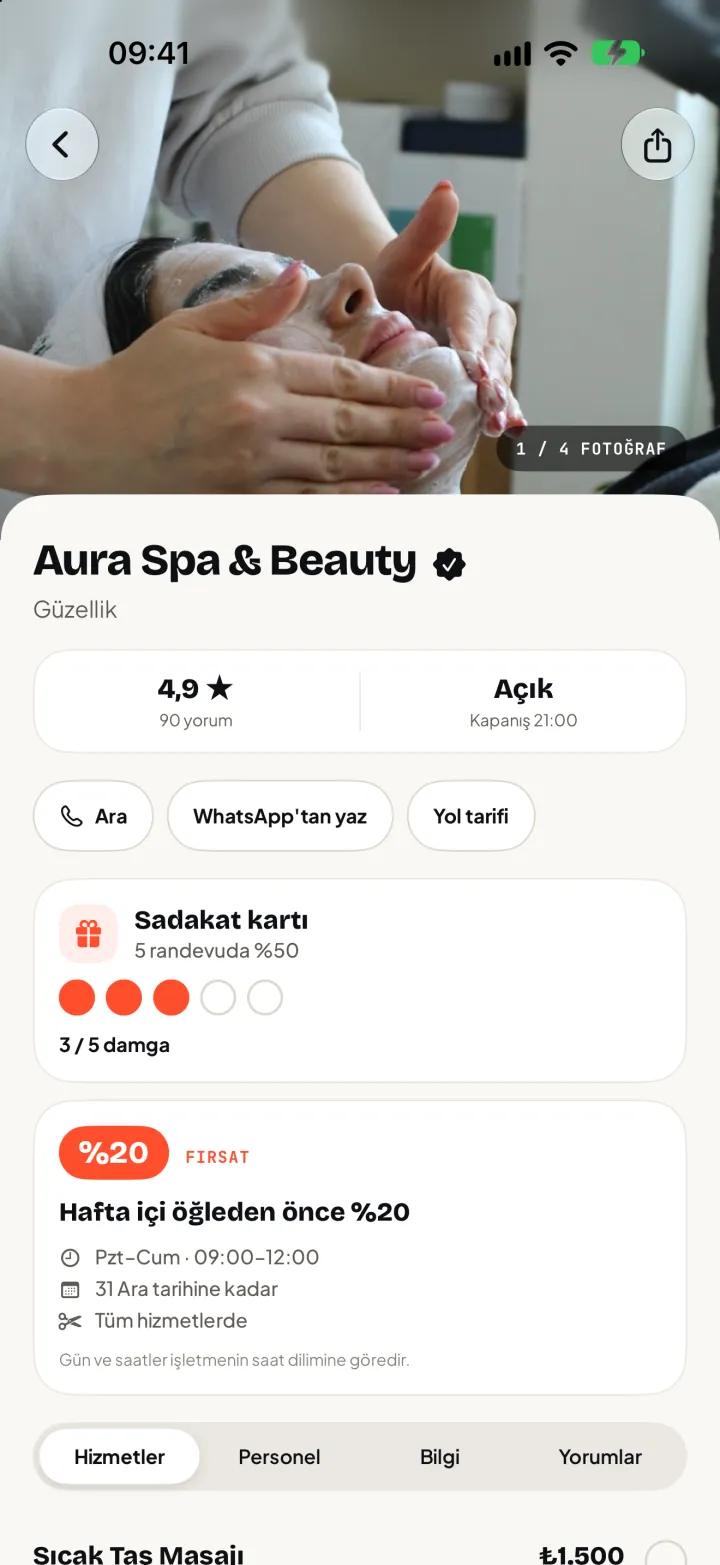
Get to know the business
See services, prices and reviews on a single screen. You know what you'll pay before you book.
- ServicesEach service with duration and price, plus staff and opening hours.
- ReviewsRatings and comments; only customers who completed a visit can write one.
- CardA loyalty card and discounted free slots, if the business offers them.
How it works · 03 / 06
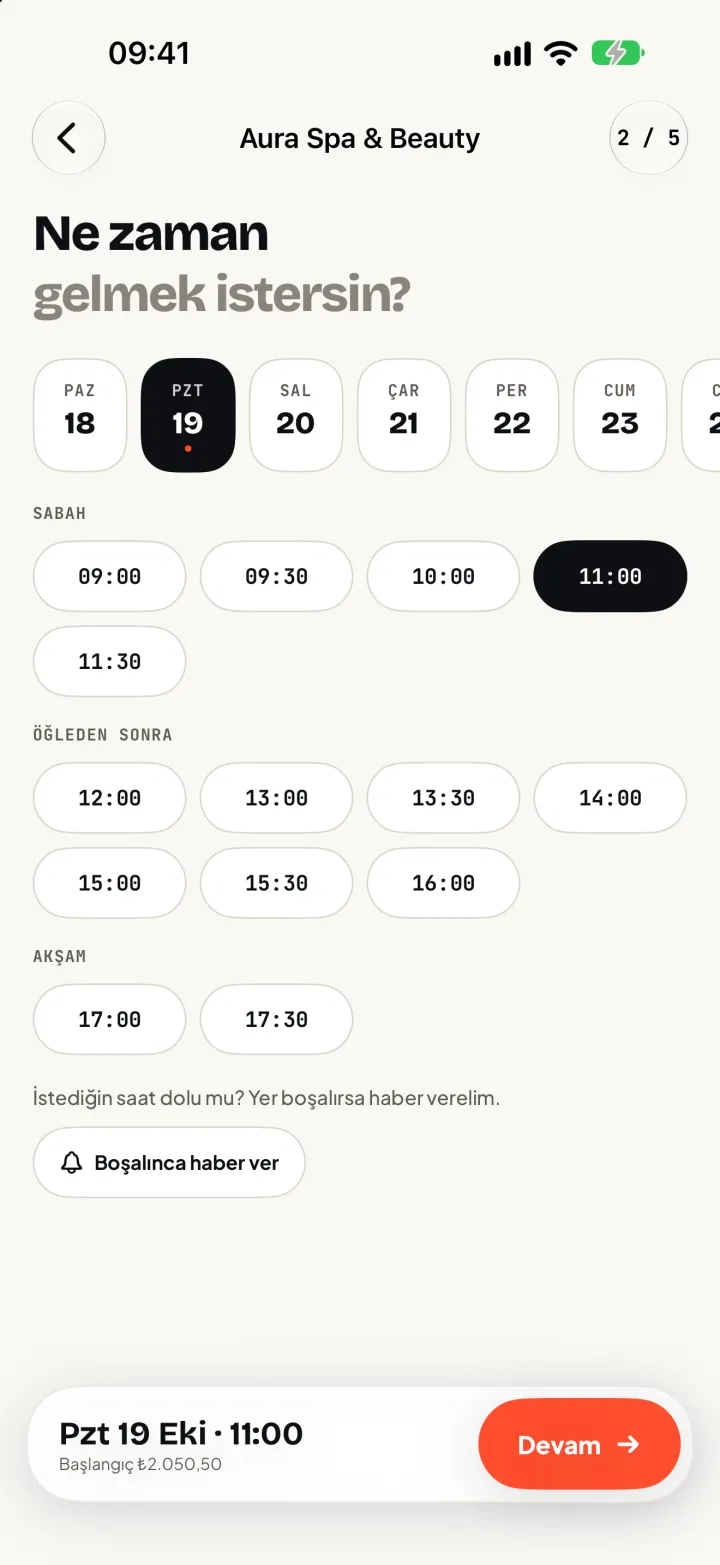
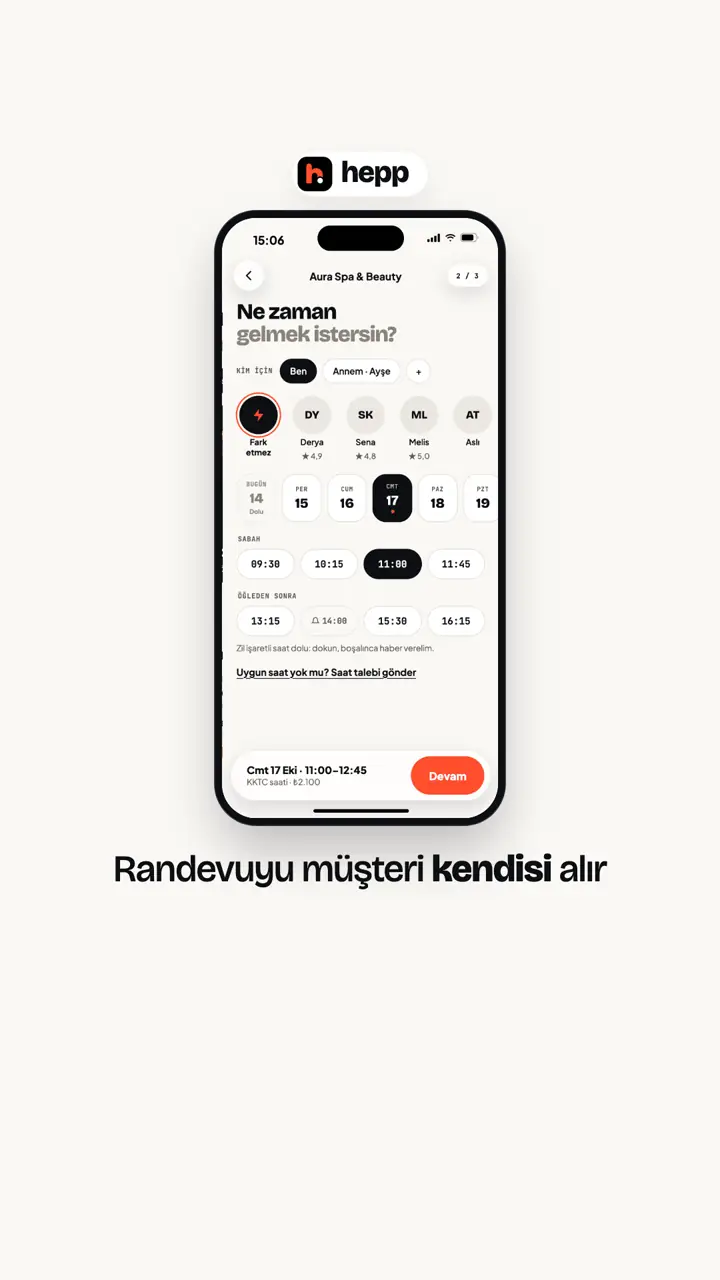
Pick a free time
See real availability and tap the time that suits you. Choose who does it, if you like.
- DayA day strip and free slots in 15-minute steps.
- StaffPick a staff member or say any is fine.
- RequestAt a business that works by time request, pick a day and part of day and they suggest times.
How it works · 04 / 06
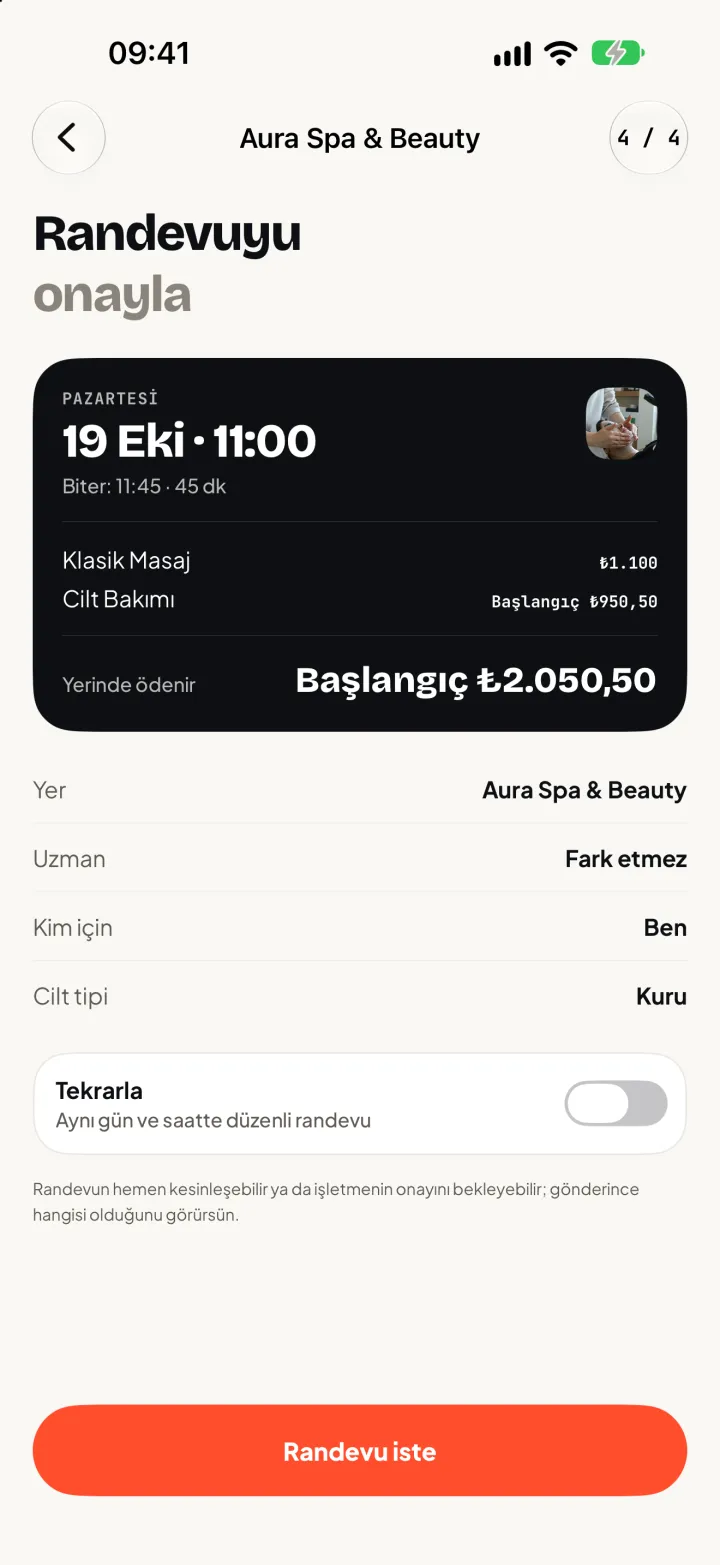
Check the summary, confirm
Service, time and business at a glance. One tap and your booking is on its way.
- ApprovalIf the business confirms automatically it's ready at once; otherwise they reply.
- NoteLeave the business a note.
- Who forBook on behalf of a family member.
How it works · 05 / 06
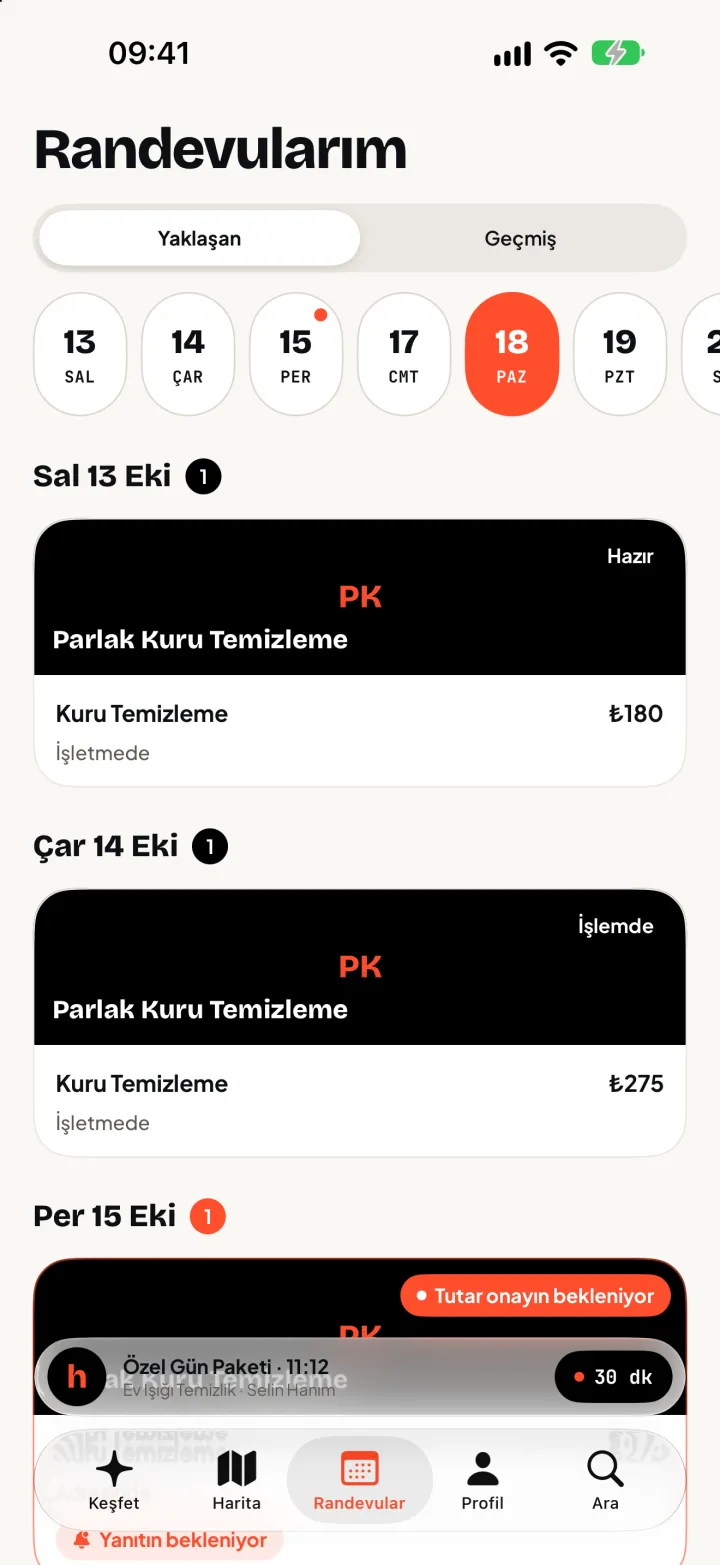
Your appointments, always at hand
Upcoming and past appointments in one place. You won't forget, you can change, you'll find the way.
- Reminder24 hours and 2 hours before, on WhatsApp or by notification.
- ChangeReschedule or cancel; the business's cancellation window applies.
- RouteDirections, plus a Live Activity on your lock screen.
How it works · 06 / 06
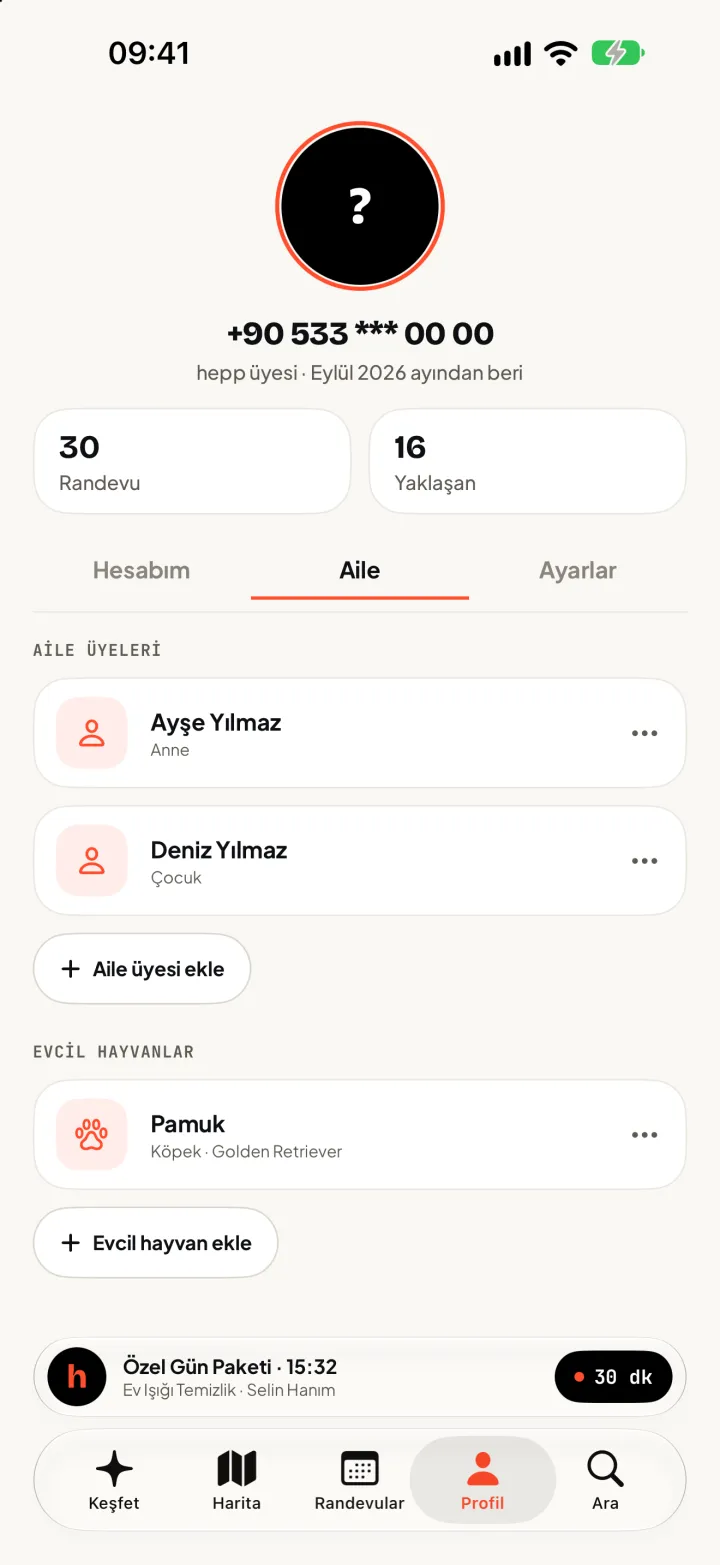
Your family and pets
Book for your mother, your child or your dog. Enter the details once, pick them at every booking.
- FamilyAdd family members and choose who a booking is for.
- PetsEnter name and species; at vets and pet grooming the business sees it.
- Who forAt each booking, pick yourself or a family member; at the vet and pet groomer, pick your pet.

Your booking, always in your hands
No forgotten bookings, no hard changes.
The app is free. Your sign-in code arrives on WhatsApp and is only asked for when you book.
Find, compare, pick your time.
Find the service, compare businesses, pick the time that suits you.
- 01
At-home service
Pick your address and adjust the pin on the map. Staff only see it once the booking is confirmed.
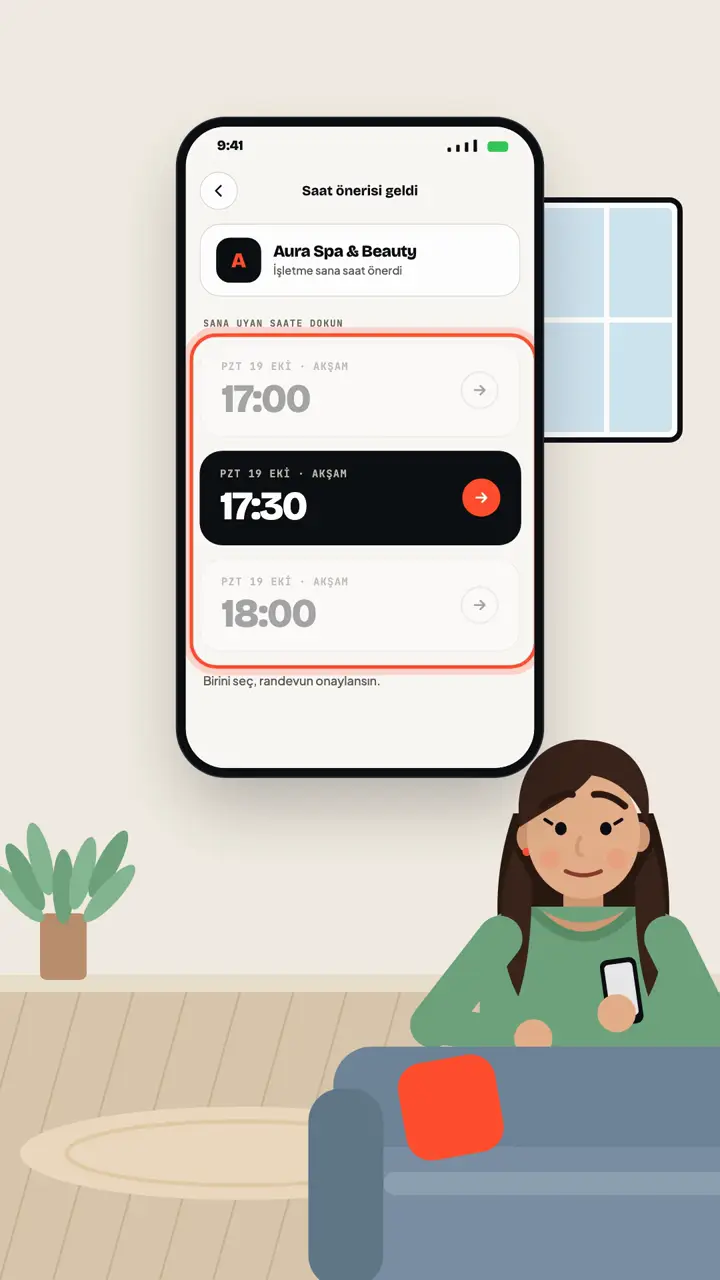
Let the business suggest the time.
Pick a day and time of day and send a time request. The business suggests 1-3 times; just tap one.
- 02
Time request
You don't pick a time, you request one. The business suggests 1-3 alternatives from its open hours; when you pick one, the booking is confirmed.

Take the slot that frees up.
Join the waitlist; the app tells you when a time opens up.
- 03
Get notified when a slot opens
Join the waitlist for a full time. When it opens up, waiting customers are notified and the first to take it gets it.
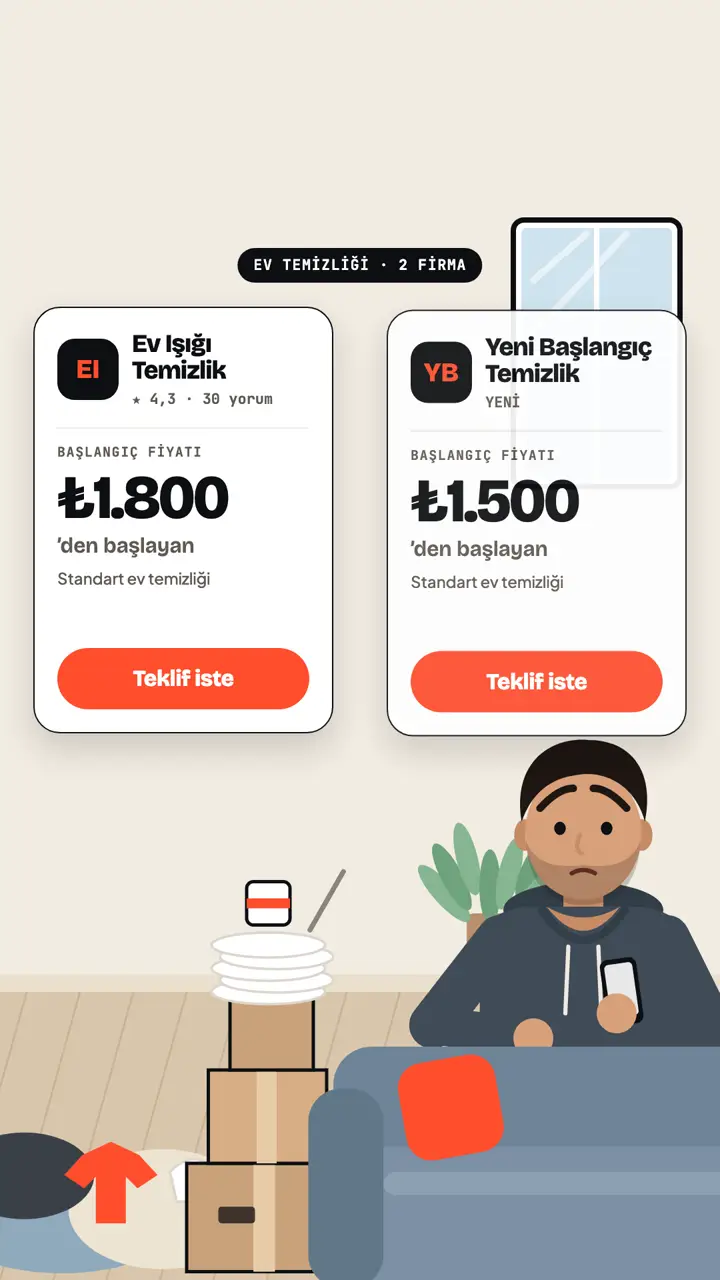
Home cleaning
Ask for quotes, approve the one that fits.
See each company’s starting prices and request quotes from the ones you like, one by one. Approve one of the quotes and your booking is confirmed.
- 01Choose home cleaning
- 02Enter room count, request a quote
- 03Approve the quote
- 04
Quote-based services
For jobs like home cleaning, send your request; the business replies with a price and time, and you accept.
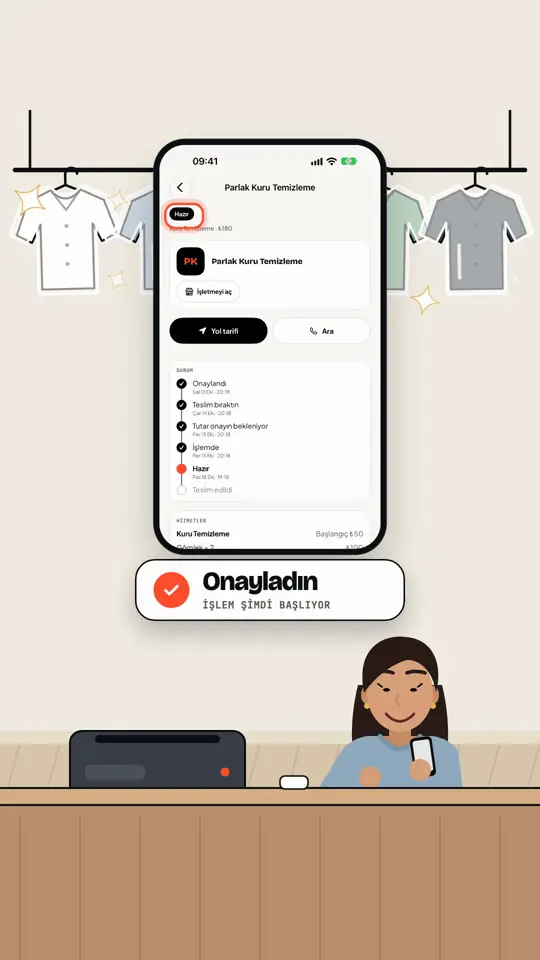
No surprise totals at the dry cleaner.
Pick your items and see prices first; the final total needs your approval.
- 05
Dry cleaning
Pick your items and see the prices up front. Work does not start until you approve the final total in the app; you get a message when it is ready.
The whole family in one account.
One account for you, your family and your pets, with your loyalty card alongside.
- 06
Family members and pets
Book for yourself or a family member; at the vet and pet groomer, pick your pet.
- 07
Loyalty cards and deals
Collect stamps on your card and see free-slot discounts from businesses under Deals.
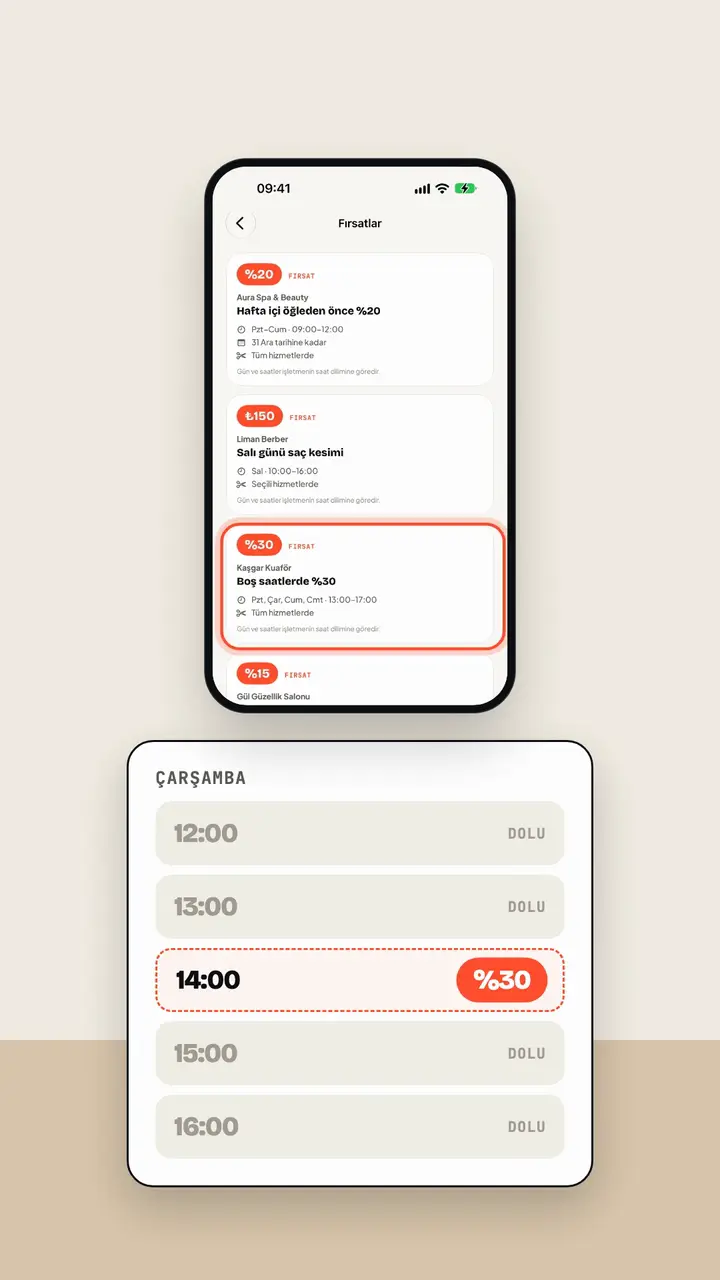
Off-peak deals, a stamp every visit.
See off-peak discounts in Deals; every completed booking adds a stamp to your loyalty card.
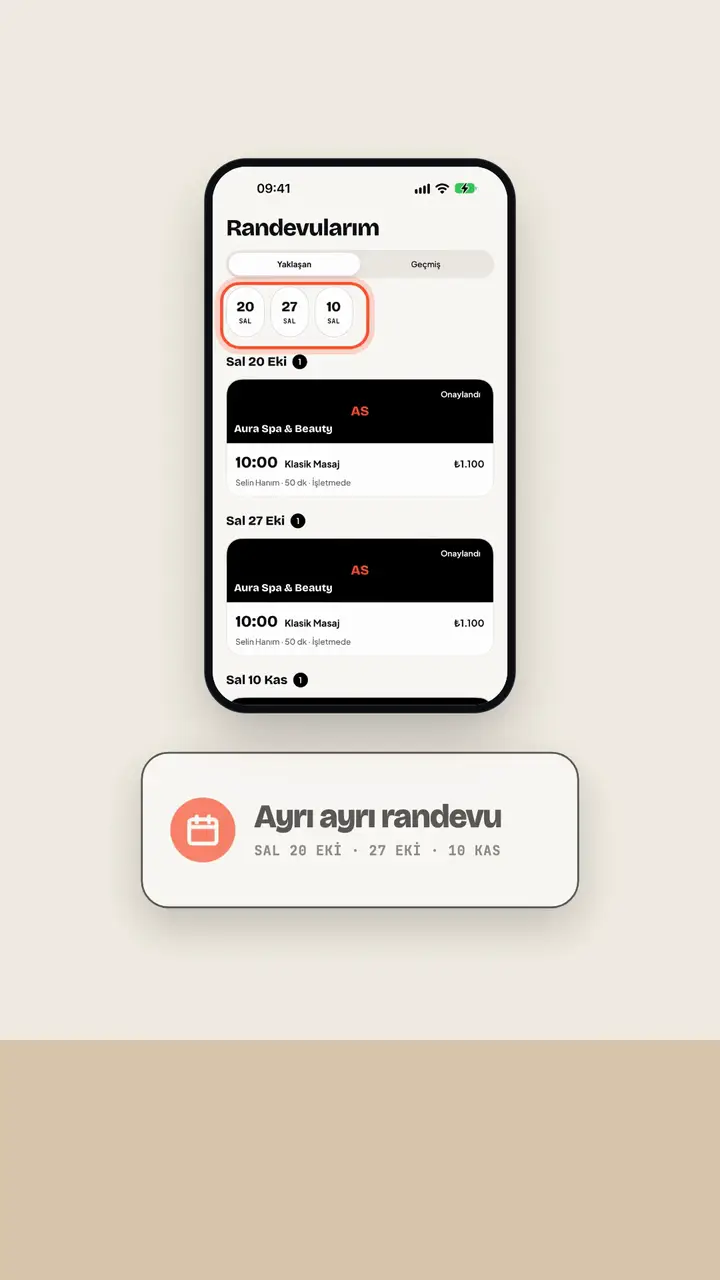
Same time every week, set it once.
Set up a recurring booking; each repeat is its own booking, and any clashing date is flagged to you.
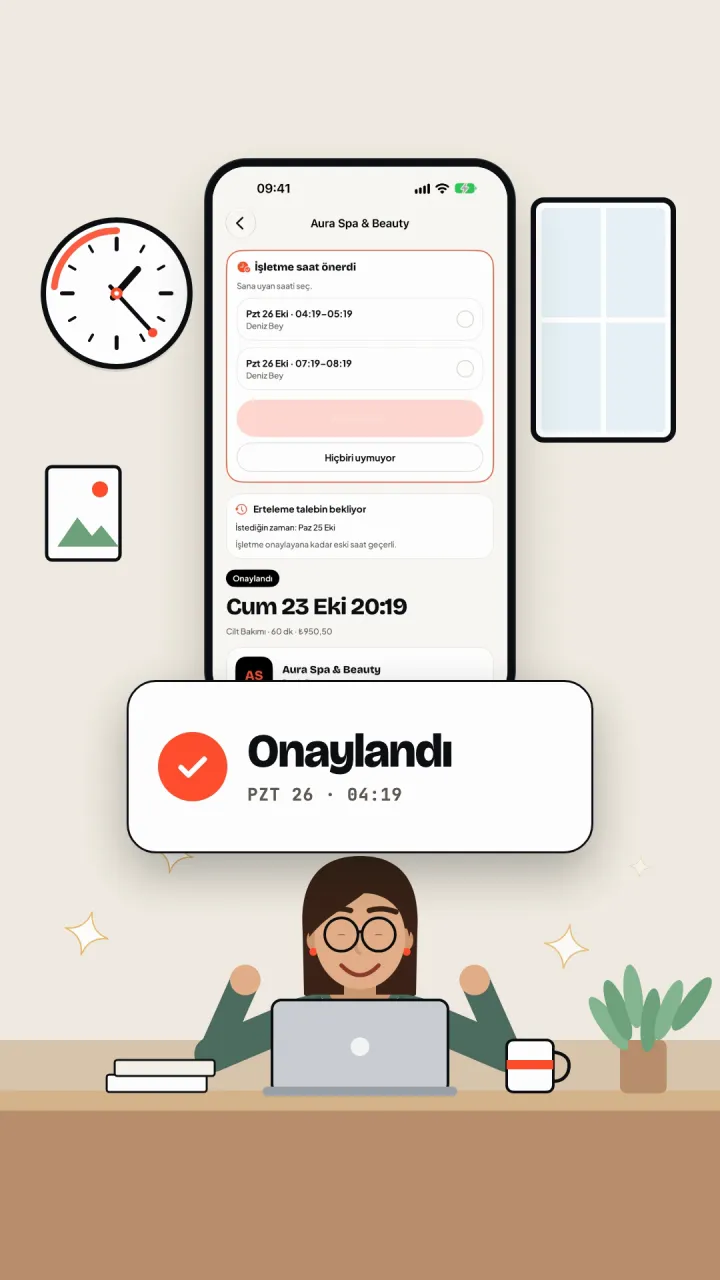
Something came up last minute?
Reschedule or cancel from the app; no need to call the business.
- 08
Reschedule and cancel
Move your appointment to another time or cancel it in the app. The business's cancellation window applies.
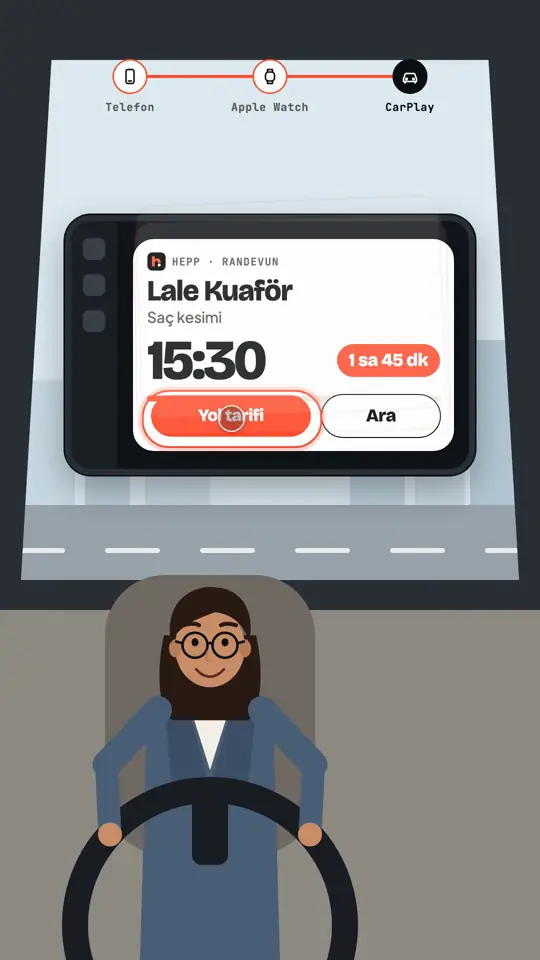
Don't forget your appointment.
Reminders come to you, and your appointment is on your lock screen.
- 09
Reminders
You get a WhatsApp message or notification 24 hours and 2 hours before your appointment.
- 10
Live Activity on your lock screen
The time and countdown of your next appointment on the lock screen, even when the app is closed. Also shows on Apple Watch and CarPlay.
Let your calendar run the bookings, not your phone.
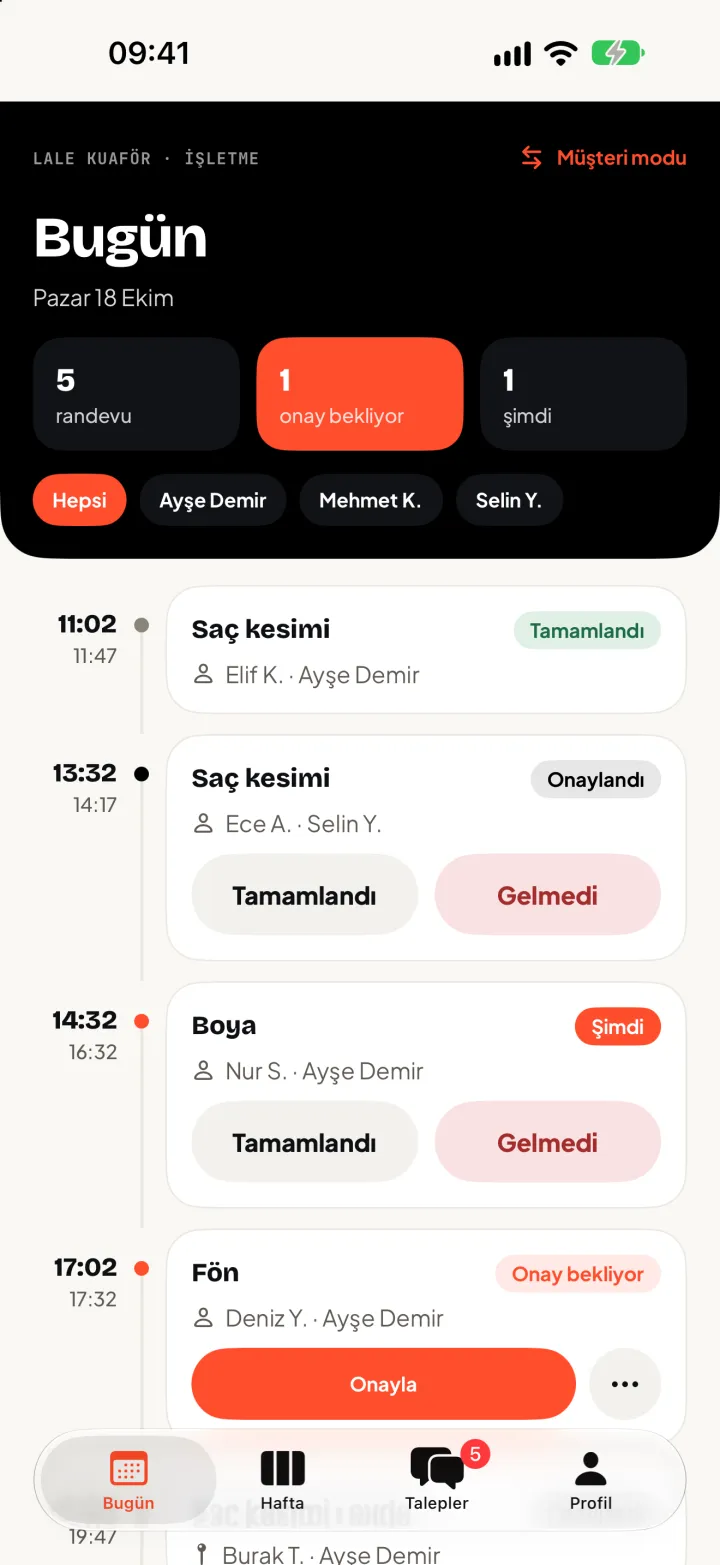
Manage bookings, your team and your customers from the web panel and the iOS business screen.

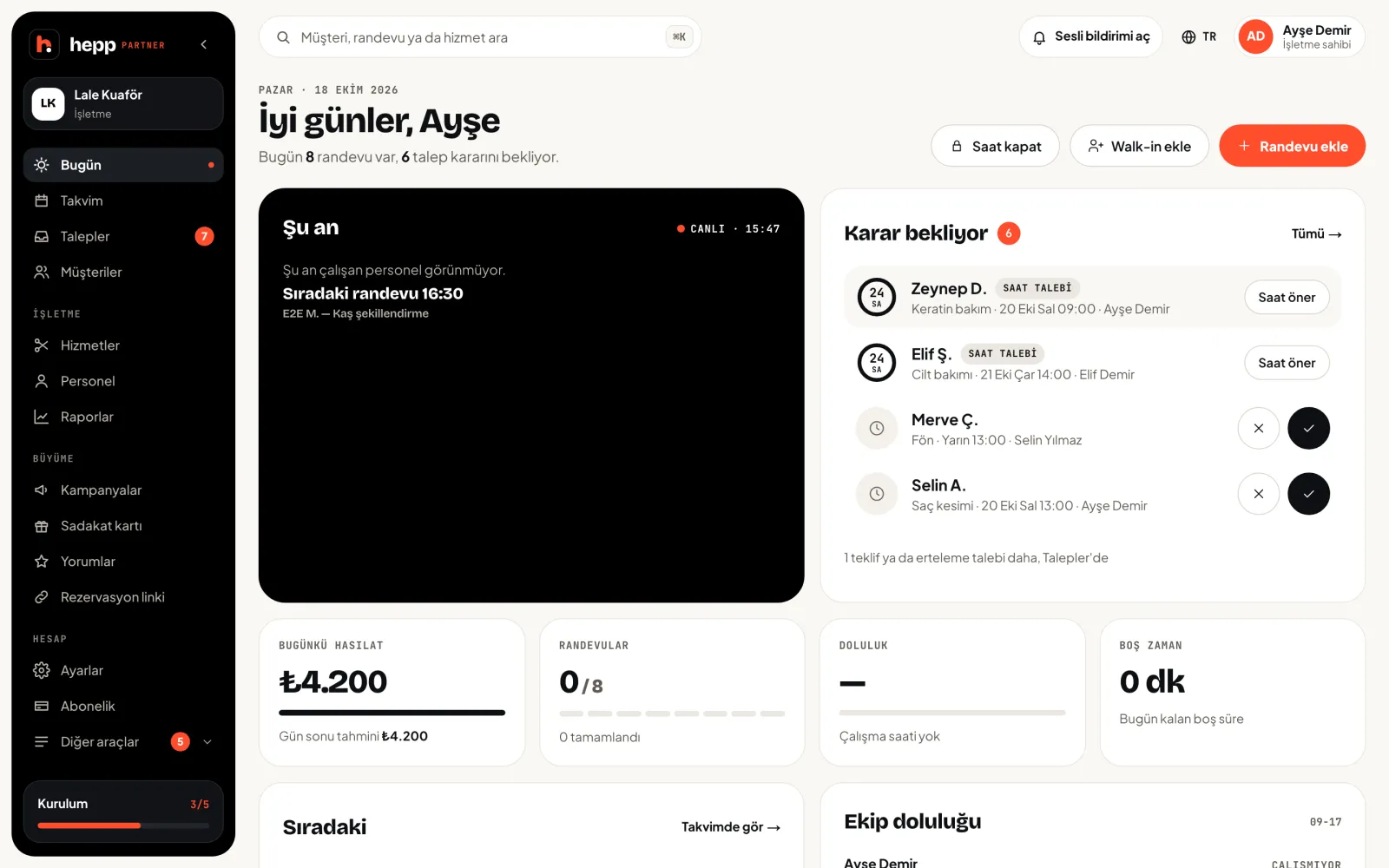
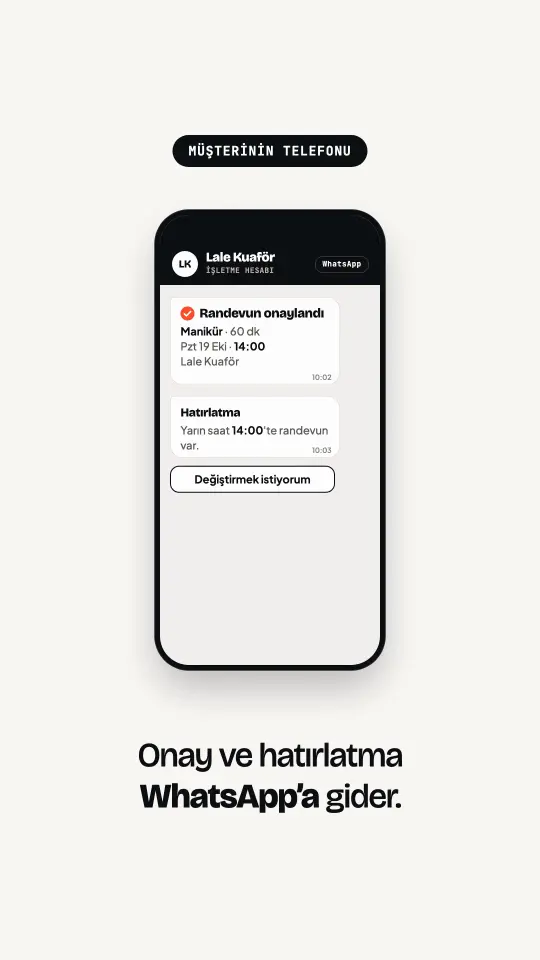
Customer hasn't installed the app?
Book customers without the app from the panel; confirmations and reminders go over WhatsApp, and time changes are settled with an options list.
- 01
WhatsApp notifications
Confirmations and reminders go to the customer's WhatsApp. Customers without the app still see their booking.
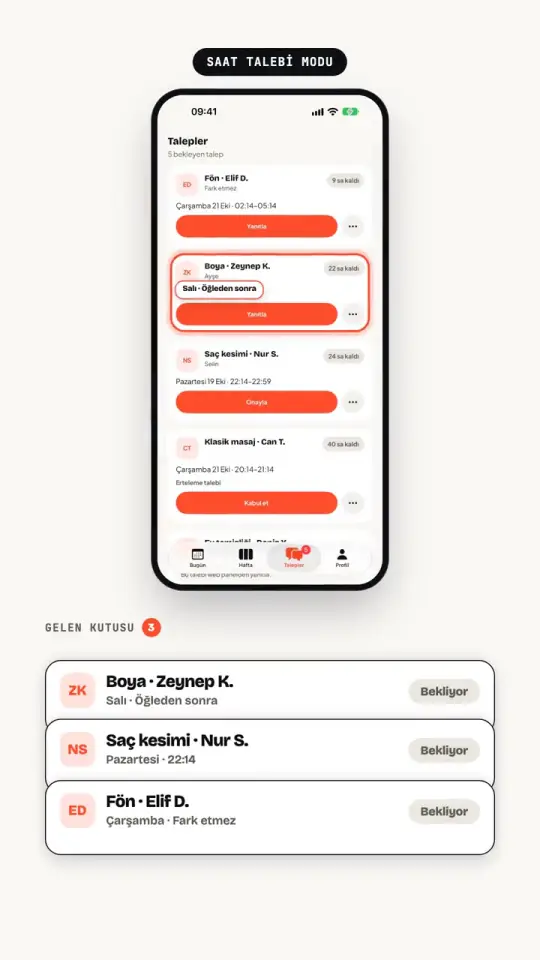
All requests on one screen.
Time requests, pending bookings and reschedule requests pile up in one list of decisions; you answer them all from one place.
- 02
Suggest times for requests
The customer picks a day and part of day, you suggest 1-3 times. You can suggest another time for a pending booking too.
Stop answering the same questions again and again.
Customers see times and details in the app; you keep your notes and get on with the work.
- 03
Customer notes
Keep notes and customer groups; they are visible only inside your business.
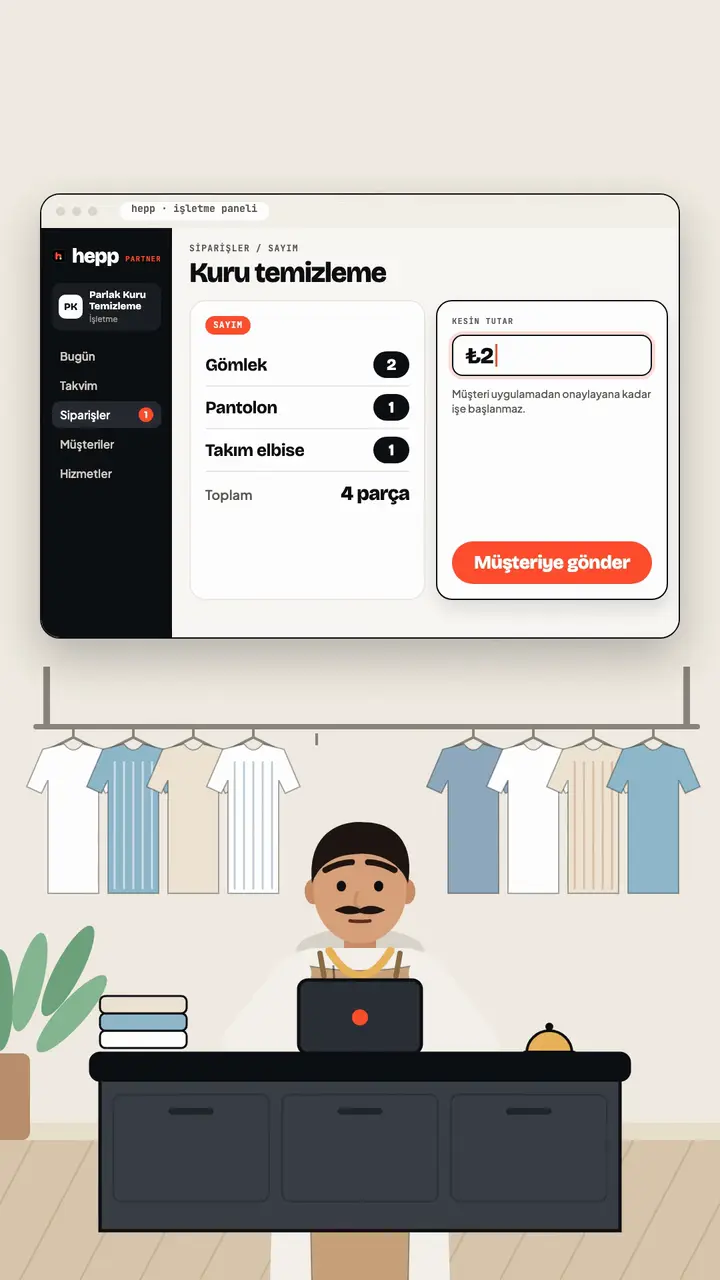
Services where the price depends on the job.
Give a quote for home cleaning, enter the final total after counting for dry cleaning; the customer approves it in the app.
- 04
Quotes and final totals
For home cleaning, send the price and time as a quote. For dry cleaning, enter the final total after counting the items; work does not start until the customer approves it in the app.
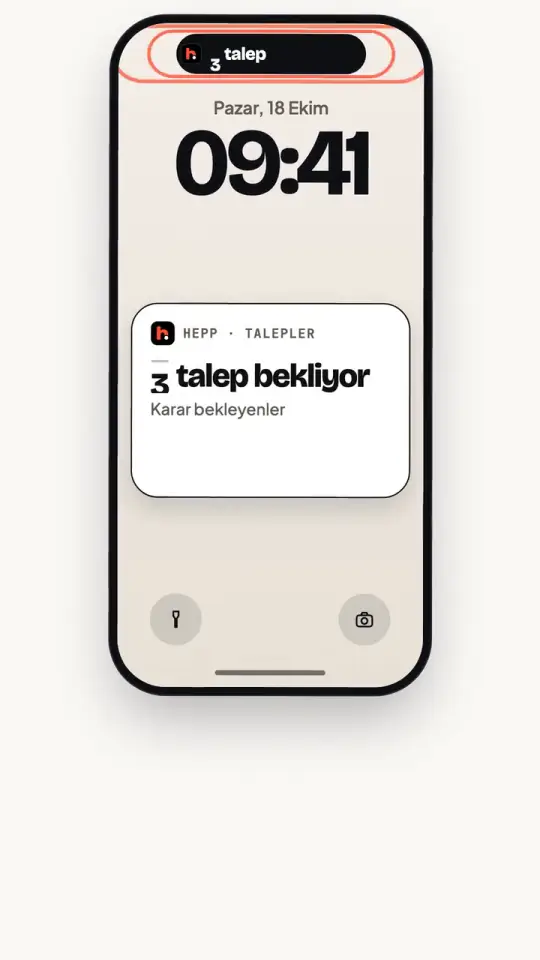
Never miss a request.
Pending requests sit on your lock screen, and the panel sounds an alert for new ones.
- 05
Panel and iOS
A web panel on your desktop, the iOS business screen in your pocket. Same data, instantly.
- 06
Lock screen and sound alert
The pending request count shows on the iOS lock screen and in the Dynamic Island. The panel plays a sound when a new request arrives.
Fill your calendar without losing order.
Choose your approval mode and set your team's hours; no double bookings.
- 07
Calendar and approval mode
A calendar with a column per staff member. Bookings are confirmed instantly or by you; set exceptions per staff member.
- 08
Staff and working hours
Everyone has their own services, hours and time off. No double bookings.
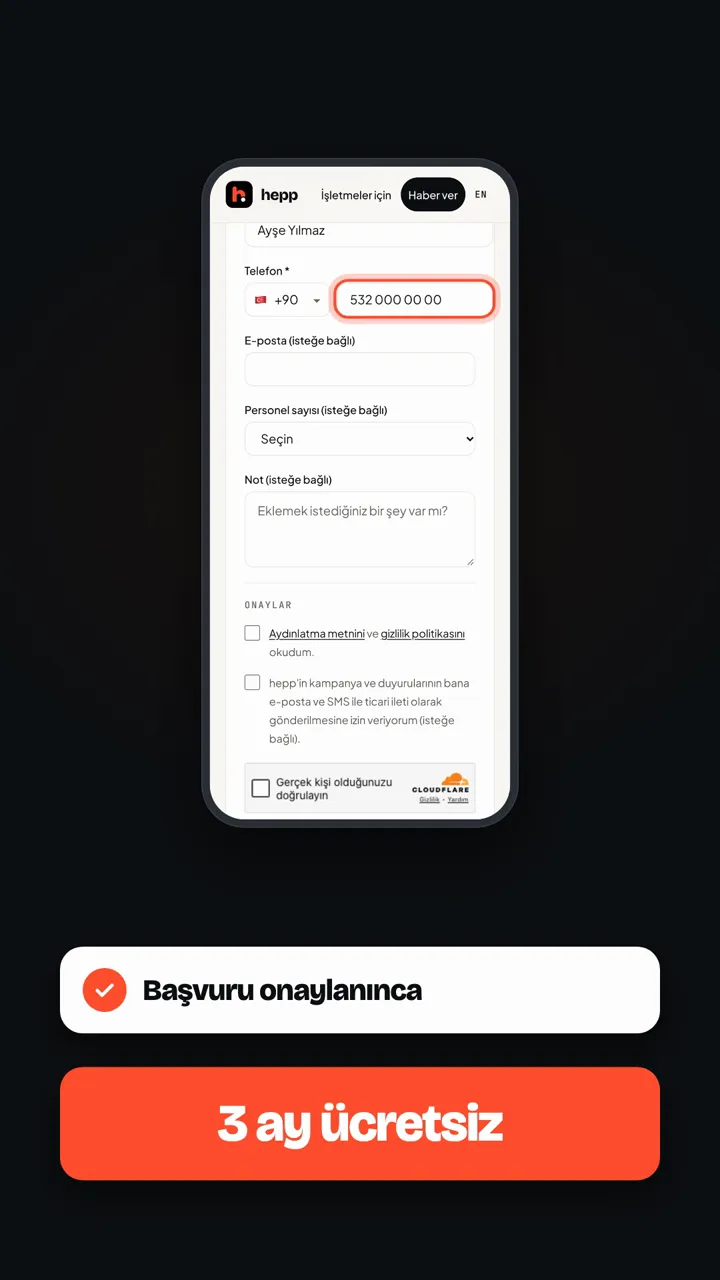
Claim your spot before launch.
Businesses that pre-register become founding businesses; complete your application with the same phone and get 3 months free after approval.
Founding business
First 3 months free.
Businesses that pre-register before launch become founding businesses. Complete your application with the phone number you left, and after approval 3 months of free use are set up.
FAQ
What you might ask.
Does hepp cost customers anything?
No. The app and booking are free for customers.
Which areas?
Northern Cyprus for now. We'll announce more districts as we open them; you can add your area when you pre-register.
When does it open?
Very soon, on the iOS App Store. Leave your phone or email in the notify form and we'll write when it opens.
How does my business join?
Pre-register your business. Our team contacts you and helps with setup. Founding businesses get the first 3 months free.
How is my data used?
Your phone is used for the sign-in code, booking notifications and contact with the business you book; your email is used for the launch notice. Details are in the privacy policy.
Read the privacy policy